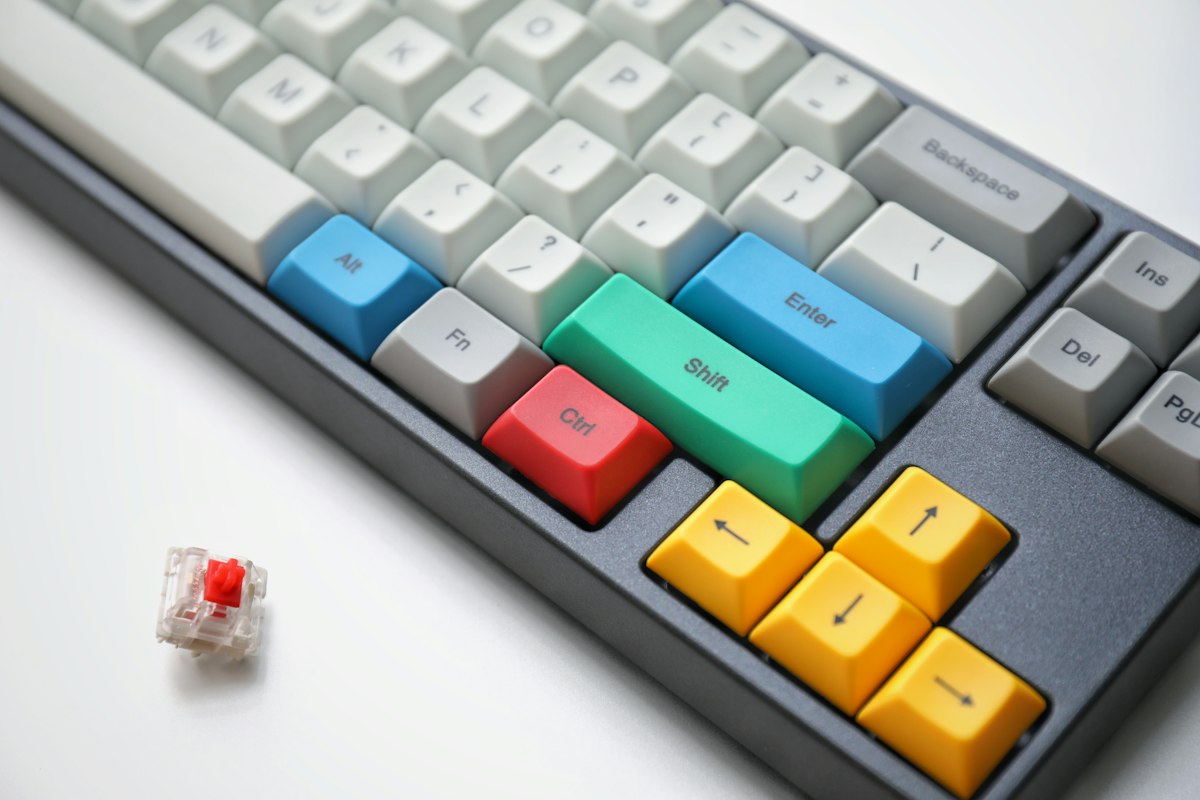
Best Mechanical Keyboards 2026 (Under $150): Why Chinese Brands Set the Standard
Five years ago, a “good” mechanical keyboard meant a $180 prebuilt from a legacy Western brand, or a $400 group-buy with a six-month wait. In 2026 that math is dead. The entry-to-mid tier — roughly $45 to $150 — is now defined almost entirely by Chinese makers who ship gasket mount, hot-swap PCBs, and QMK/VIA programmability as table stakes. This guide is the straight version of what actually matters and which boards are worth your money.
The core viewpoint: stop paying for the logo
The biggest myth in this category is that you need to spend big to get a “premium” feel. You don’t. A $99 board with a gasket-mounted plate, factory-lubed linear switches, and a polycarbonate or aluminium case will out-type a $150 board from three years ago. The differentiators that actually change your daily experience are:
- Mount style — gasket mount (soft, damped) beats tray mount (hollow, pingy) for typing comfort.
- Hot-swap — lets you change switches without soldering; non-negotiable if you like to tinker.
- Firmware — QMK/VIA (open, remappable in a browser) beats locked proprietary software.
- Stabilizers — screw-in stabs, ideally tuned, stop the spacebar rattle.
What actually changed between 2021 and 2026
To understand why the price floor collapsed, it helps to know what each generation added. Around 2019 a budget board gave you a plastic tray case, soldered switches, and a membrane-style stabilizer cluster. You could not fix a rattly spacebar without desoldering the whole board. Then gasket mounting — borrowed from $400 group-buys — trickled down, and a soft plate suspended on rubber strips replaced the hard tray. Typing feel went from “clacky and hollow” to something closer to a soft thud.
The next shift was firmware. QMK and its browser-based front end VIA turned a keyboard into a programmable device rather than a fixed one. You can move the Caps Lock key to Escape, build a layers scheme for a 60% board, or remap a knob without installing vendor software that phones home. By 2023 hot-swap sockets and screw-in stabilizers had become normal at $60. By 2026 the whole package — gasket mount, hot-swap, QMK/VIA, PBT keycaps, a knob — is available for under $100 from several Chinese manufacturers.
That is the real story. It is not that Chinese brands got good. It is that they became the ones actually pushing features downstream, while several legacy brands kept tray mounts and ABS keycaps at twice the price.
The boards I’d actually buy in 2026
| Board | Price | Mount | Why it earns the spot |
|---|---|---|---|
| Keychron Q1 Pro / V-series | $95–$190 | Gasket (V6) / Top (Q1) | The safe default. QMK/VIA, aluminium, wireless on Pro. The V-series is the value pick; the Q-series is the “endgame starter.” |
| Akko 5075B / 3068B | $55–$80 | Tray/Gasket | Best budget entry. Great stock keycaps, fun collabs, hotswap. Tune the stabs and it rivals boards twice the price. |
| Royal Kludge RK84 / RK96 | $60–$90 | Tray | 75%/96% layouts with a knob and wireless. Less “enthusiast,” more “does everything.” |
| Epomaker / Lucky65 | $45–$70 | Gasket | The surprise hit. Compact 65% gasket board that feels expensive. Proof the bar has moved. |
A word on layouts, because it matters more than any spec sheet. A full-size 104-key board wastes desk width if you rarely touch the numpad. A 75% keeps the function row, arrows, and often a knob in about 80% of the footprint. A 65% drops the function row but keeps arrows; a 60% drops the arrows too and relies on layers. For most people a 75% or 65% is the sweet spot. Buy smaller than 65% only if you are willing to learn layers, because losing arrow keys is a daily annoyance otherwise.
Chinese brands worth a real look
If your instinct is still “only trust a Western name,” you’re leaving money and feel on the table:
- Keychron — the brand that dragged QMK into the mainstream prebuilt. Their V-series is the default recommendation for a reason.
- Akko — owns the budget personality segment. Stock keycap quality is genuinely above its price.
- Royal Kludge — owns the “I want arrows, a knob, and wireless under $90” crowd.
- Epomaker / Lucky65 — the boutique-compact play; often the board enthusiasts recommend to friends.
None of these are “cheap knockoffs.” They are the manufacturers the legacy brands quietly source from. Buying direct just cuts the markup.
Switches: the decision that outlasts the keyboard
Most newcomers obsess over the case and ignore the switch, but the switch is what your fingers touch ten thousand times a day. The shorthand: linears (smooth, no bump) suit gaming and fast typing; tactiles (a small bump at actuation) suit people who want feedback; clickies are loud and mostly a niche taste. Weight matters too. A 45g linear feels light and floaty; a 55g or 62g linear feels deliberate and can reduce accidental keystrokes.
If you buy a hot-swap board you get to experiment without soldering, so the risk of a wrong first choice is low. The cheapest path is to buy a $99 hot-swap board and a $15 bag of 40 switches, then change them once you know what you like. Factory-lubed Chinese switches from makers like Gateron, Kailh, and Outemu are now good enough that hand-lubing is optional rather than a rite of passage — a real change from five years ago.
Sound, feel, and why “thock” is not a spec
Community vocabulary around sound is fun but imprecise. What you are really hearing is the case material, the plate, the mounting style, and whether there is foam. An aluminium case with a PC plate and gasket mount tends toward a deep, muted sound. A plastic tray-mounted board often sounds hollow and high-pitched. This is subjective, and you should not pay $60 more for a particular adjective in a review.
Two cheap upgrades reliably improve feel: a $20 set of PBT keycaps (thicker walls, no shine, slightly deeper sound) and a small sheet of case foam. Together they cost less than the gap between two tiers of keyboards and close much of it.
Honest caveats
- Software lock-in is rare here — most of these run open QMK/VIA, so you’re not hostage to a dead app.
- Keycap legends vary — budget boards sometimes ship thin ABS; swap to PBT if shine bugs you (a $20 upgrade).
- Wireless latency — fine for typing, not for competitive FPS. Use cable for gaming.
- Knobs and screens are not always worth it — a knob is genuinely useful for volume; a tiny LCD is often a gimmick that adds cost and a failure point.
- Group buys are not a beginner move — waiting six months and paying up front is a hobbyist choice, not a value one.
How to decide in ten minutes
Ask yourself three questions. First, how much desk space do I have, and do I need a numpad — that picks your layout. Second, do I want to tinker with switches — if yes, hot-swap is mandatory. Third, do I travel with it or keep it on one desk — if you move it, wireless and a lighter case matter more than an aluminium slab. Almost everyone lands on a 75% hot-swap board in the $70 to $120 range, and that really is enough.
Bottom line
Spend $90–$120 on a gasket-mounted, hot-swap, QMK/VIA board from Keychron or Akko and you will not meaningfully benefit from spending more — unless you specifically want a heavy brass plate or an artisan aesthetic. The “Chinese brands are just cheap” era ended around 2021. In 2026 they set the standard.
Disclosure: if you order through our link, TechMinds may earn a small commission at no extra cost to you.